Setup
Examine
Read article
A Radio Beacon module is built into the standard T-series hardware from Trusted, including the T1.
When the Radio Beacon Enabled is turned on, you can use a radio direction finding receiver/scanner to recover the tracking device.
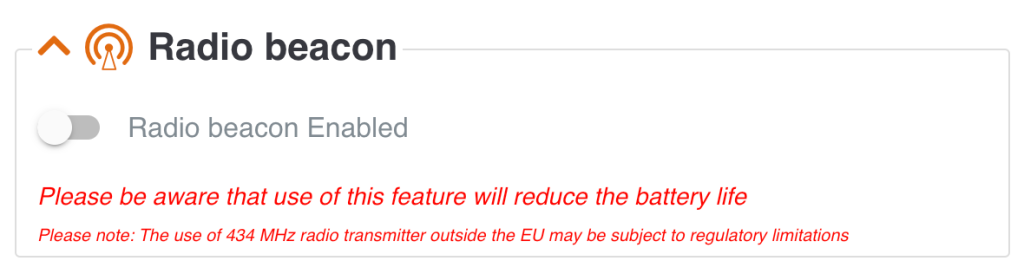
The Radio beacon can be enabled and disabled in the Edit section of your device.
You should only enable it in cases where you need to use the feature and when you have a receiver/scanner available.
If you do not see it, then you do not have the permission to enable Radio beacon. Please contact your manager to get the permission
If your asset is lost or stolen, we recommend you to start by changing the transmission schedule to as frequent as possible. This way, you will be able to monitor the future positions of the device.
Check if the device gets a GPS position (high accuracy) or if it uses triangulation (low accuracy).
If it only gets a triangulated position (up to several kilometers of accuracy), then we recommend you to enable Radio beacon if you have a scanner available.
At next transmission, the device will start sending out a radio beacon signal every second.
Try to get as close to the device as possible with your scanner and follow the direction of the signal sound.
The quality of the radio beacon signal depends on the external circumstances, such as distance, weather conditions, other radio signals in the area, coverage by metal, etc.
Once the asset has been recovered, remember to disable Radio beacon and change the transmission schedule to less frequent.
Before enabling the Radio beacon, we recommend you to check if the GPS signal can help you recover your asset.
The radio beacon should only be enabled in search mode when you have a receiver/scanner available. Without a such, you will not be able to search for the radio beacon signal.
Please note: the use of 434 MHz radio beacon outside the EU may be subjected to regulatory limitations.
Please be aware that use of the Radio beacon feature will reduce the battery life of your device. The battery consumption of one hour radio beacon is equivalent to one transmission.
We therefore recommend you to disable the radio beacon feature as soon as you have recovered your asset.
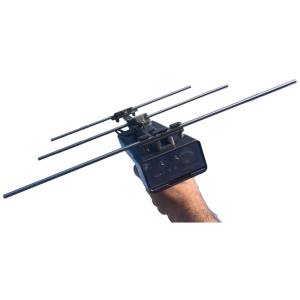
A radio direction finding receiver/scanner can be purchased from different online suppliers.
Other articles in this category that might help
Can't find what you're looking for? Our support team is here to help.
Contact Support