Setup
Examine
Read article
Your Trusted device comes with a flight mode option that should be turned on if the device comes within areas with restrictions on mobile GSM signals.
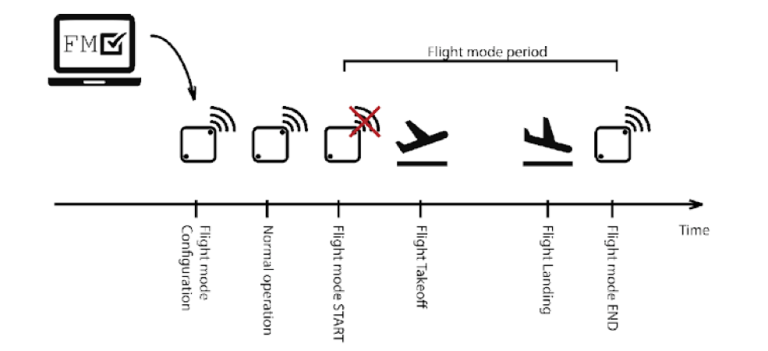
Flight mode is used to suppress any radio transmission in a defined period with a specified start and end date and time.
This means any scheduled transmissions will be skipped in this period. Once the flight mode period is over, the device will continue to transmit according to its next scheduled transmission.
So what flight mode does is only turn off the GSM module in your device.
It is a straightforward process to set up flight mode.
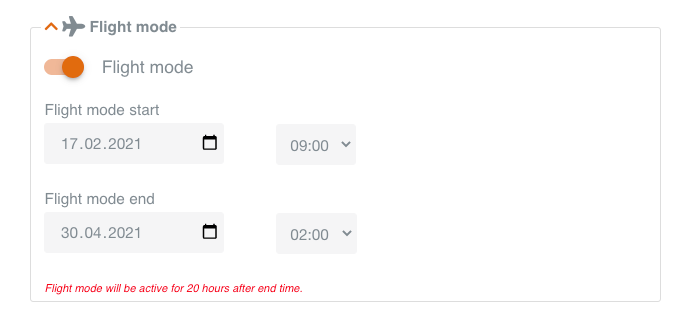
Navigate to your device, click Edit. Scroll to Flight mode and select the date and time for Flight mode start and subsequently for Flight mode end.
Remember to activate the Flight mode switch when you are done.
Note: For safety reasons, in case of any delays to the flight, your device will remain in flight mode for 20 hours after the end time you configured.
(Flight mode can be configured for several devices at once. See Multi-edit)
Your device will still log all sensor data such as motion, tilt, and impacts along with temperature and humidity data.
The only thing that is turned off is the antenna – much like your mobile phone.
While your flight mode configuration is saved in real-time on the Trusted Data Portal, it still needs to be downloaded to your device.
This happens automatically upon the first coming transmission of the device after your configuration.
That is why we always recommend setting up flight mode in good time before your flight.
Once flight mode is ordered, the device will shut down its antennas in the interval you have specified.
When enabled, you can see the flight mode status of your device on a new tile in the device view.
The status is one of the following three
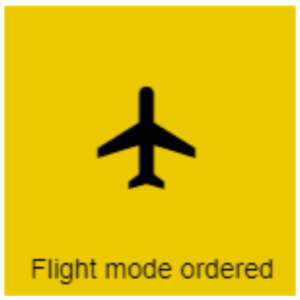
Flight mode has been configured by the user, but the configuration has not yet been sent to the device.

A flight mode configuration has been sent to the device, but it is not yet active.

The device is currently in Flight mode and all transmissions will be suppressed.
Note 1: The actual time of day for start and end may vary up to 1 hour before start and up to 1 hour after end.
Note 2: The configuration will be sent to the device(s) next time the device(s) communicate with the server – e.g. when activating the device with a magnet.
Other articles in this category that might help
Can't find what you're looking for? Our support team is here to help.
Contact Support